
Games
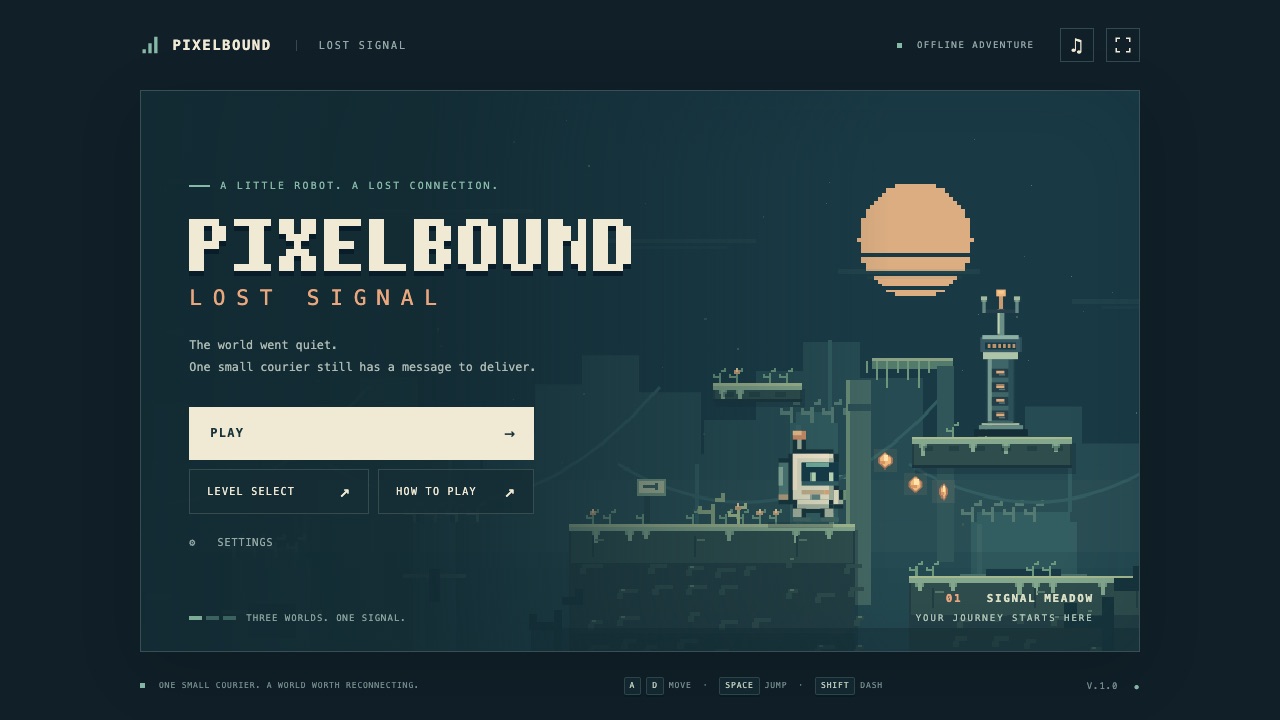
Pixelbound: Lost Signal — GPT-6 Astra
The world went quiet. One small courier still has a message to deliver.
GPT-6 Astra · xhigh · OpenAI Codex
 Ezkielyna Lab 1
Showcase · 7 builds
One game brief, several frontier coding models. Play every version and compare how each one builds a complete browser platformer.
Every model got the same brief in a fresh session: build a complete, polished 2D platformer called Pixelbound: Lost Signal, with original art, three levels, responsive movement, enemies, secrets, checkpoints, sound, touch controls and saved progress.
Each version is published as delivered by its session, with the session length and the model's own closing notes. Nothing here is ranked for you: play them and decide which one feels best.
The GPT versions were built in OpenAI Codex; the Claude versions were built in Claude Code and delivered as pull requests to public GitHub repositories, so you can read their full source.
Curated by Ezkielyna Lab. Six of the seven models in this arena (all five GPT models and Claude Opus 5.5) are also available through Ezkielyna API with a single key, if you want to run the same brief yourself.
# FRONTIER MODEL BENCHMARK — BUILD A COMPLETE BROWSER PLATFORMER GAME

You are being evaluated against several other frontier AI coding models.

Your task is to design and build a **complete, polished, playable browser game** from scratch.

This is NOT a prototype.

This is NOT a static mockup.

This is NOT a tutorial project.

You must deliver a browser game that feels like a small but genuinely finished indie game.

The benchmark evaluates:

- game feel
- movement physics
- controls
- level design
- visual polish
- animation
- originality
- UI/UX
- code architecture
- responsiveness
- performance
- sound integration
- technical correctness
- attention to detail

Do not ask unnecessary questions.

Make strong creative and technical decisions yourself.

---

# GAME CONCEPT

Create an original 2D side-scrolling platformer called:

# **PIXELBOUND: LOST SIGNAL**

The game should capture the immediate fun and readability of classic platformers while having its own visual identity.

Think broadly about the quality and responsiveness associated with classic side-scrolling games, but:

- DO NOT copy Mario
- DO NOT use Nintendo characters
- DO NOT use copyrighted sprites
- DO NOT recreate recognizable Mario levels
- DO NOT reproduce Mario sound effects or music
- DO NOT copy visual assets from existing games

Everything must be original.

---

# CORE PREMISE

The player controls a small courier robot named:

**PIP**

PIP is trying to restore communication towers across a fragmented digital world.

The world has become unstable after a mysterious system failure called:

**The Lost Signal**

Each level contains:

- traversal challenges
- enemies
- collectibles
- hidden areas
- checkpoints
- a signal tower at the end

The player must reach and activate the tower.

---

# GAMEPLAY STYLE

Create a polished side-scrolling platformer with:

- running
- jumping
- momentum
- enemies
- collectibles
- hazards
- moving platforms
- secrets
- checkpoints
- level completion

Movement should feel responsive and satisfying.

The player should immediately understand how to play.

---

# PLAYER CONTROLS

Desktop:

A / Left Arrow
Move left

D / Right Arrow
Move right

Space / W / Up Arrow
Jump

Shift
Dash

R
Restart

Esc
Pause

Mobile:

Provide touch controls with:

- left
- right
- jump
- dash

Touch controls must not cover important gameplay areas.

---

# PLAYER MOVEMENT

Movement quality is one of the most important evaluation criteria.

Implement:

- acceleration
- deceleration
- gravity
- jump velocity
- air control
- terminal velocity
- collision handling
- momentum

Do NOT make movement feel stiff.

---

# ADVANCED PLATFORMER FEEL

Implement small quality-of-life mechanics commonly used in polished platformers.

## Coyote Time

Allow the player to jump briefly after leaving a platform.

Approximate duration:

80–150ms.

---

## Jump Buffering

If the player presses jump slightly before landing, automatically trigger the jump when they touch the ground.

Approximate buffer:

100–150ms.

---

## Variable Jump Height

Holding the jump button should produce a slightly higher jump.

Releasing jump early should reduce jump height.

---

## Fall Gravity

Falling should feel slightly faster than rising.

---

## Landing Feedback

Add subtle feedback such as:

- squash/stretch
- dust particles
- small screen feedback

Do not overdo it.

---

# DASH SYSTEM

The player has a short horizontal dash.

Dash should:

- move the player quickly
- have a short cooldown
- provide visual feedback
- allow interesting platforming routes

Include:

- dash trail
- cooldown indicator
- subtle sound effect

Do not make dash mandatory for the earliest obstacles.

Introduce it naturally.

---

# PLAYER HEALTH

Use a simple system:

3 energy cells.

Taking damage removes one cell.

When damaged:

- brief invulnerability
- blinking effect
- knockback
- short sound cue

When health reaches zero:

show a short death animation and restart from the latest checkpoint.

---

# COLLECTIBLES

Main collectible:

## Signal Bits

Small glowing fragments scattered throughout the level.

They should:

- spin or animate
- make a satisfying pickup effect
- increment the score
- produce lightweight particle feedback

Display:

Signal Bits: 34 / 50

---

# RARE COLLECTIBLES

Add three hidden:

## Data Cores

per level.

These should require:

- exploration
- optional platforming
- hidden paths

Show completion progress after finishing a level.

---

# ENEMIES

Create original enemy types.

Examples:

## Glitch Hopper

Small enemy that moves back and forth.

Player can defeat it by landing on top.

---

## Static Drone

Floating enemy moving along a path.

Requires timing to avoid.

---

## Corrupt Bug

Fast ground enemy that occasionally charges.

---

Enemies should have:

- readable silhouettes
- simple behaviors
- hit reactions
- death animations
- appropriate sound effects

Avoid complex AI.

Good game feel is more important.

---

# HAZARDS

Include hazards such as:

- spikes
- energy pits
- falling platforms
- moving lasers
- disappearing digital blocks

Hazards must be visually readable.

The player should understand what is dangerous before touching it.

---

# PLATFORM TYPES

Use several platform mechanics:

### Static platforms

Basic terrain.

### Moving platforms

Move horizontally or vertically.

### Falling platforms

Shake briefly before dropping.

### Bounce pads

Launch the player upward.

### Phase platforms

Appear and disappear on a predictable rhythm.

---

# CHECKPOINT SYSTEM

Add checkpoint terminals.

When activated:

- checkpoint lights turn on
- small animation plays
- respawn point updates

Make checkpoints feel rewarding.

---

# LEVEL DESIGN

Create at least:

# 3 PLAYABLE LEVELS

Each should feel meaningfully different.

---

# LEVEL 1 — SIGNAL MEADOW

Theme:

bright digital grassland.

Purpose:

teach movement naturally.

Introduce:

- jumping
- collectibles
- basic enemies
- checkpoint
- simple moving platforms

Difficulty:

easy.

---

# LEVEL 2 — CIRCUIT CAVERNS

Theme:

dark underground technological caves.

Introduce:

- falling platforms
- bounce pads
- vertical traversal
- drones
- hidden rooms

Difficulty:

medium.

---

# LEVEL 3 — GLITCH TOWER

Theme:

unstable corrupted tower.

Introduce:

- lasers
- disappearing platforms
- faster enemies
- more demanding jumps
- dash-focused traversal

Difficulty:

medium-hard.

End the level with a visually satisfying signal tower activation.

---

# CAMERA

Implement smooth side-scrolling camera behavior.

Camera should:

- follow the player horizontally
- slightly anticipate movement direction
- avoid excessive jitter
- keep the player readable
- stay inside level boundaries

Optional:

slight vertical camera adjustment during major jumps.

---

# ART DIRECTION

Create an ORIGINAL pixel-art-inspired visual style.

Suggested direction:

retro-futuristic digital world.

Palette:

- deep navy
- muted blue
- teal
- warm orange
- light cream
- restrained neon accents

Avoid visual clutter.

Do NOT make everything glow.

Use glow only for:

- important collectibles
- checkpoints
- signal towers
- certain hazards

---

# PIXEL ART QUALITY

Sprites should feel coherent.

Use:

- consistent pixel scale
- clean silhouettes
- readable contrast
- limited color palette

Avoid:

- inconsistent resolution
- blurred sprites
- generic emoji
- placeholder rectangles
- random clip-art

If generated procedurally or with canvas primitives, make them intentionally designed.

---

# CHARACTER DESIGN

PIP should be:

- small
- recognizable
- expressive
- readable at low resolution

Suggested silhouette:

small rounded robot body with:

- visor
- antenna
- compact limbs
- small backpack transmitter

Create animations for:

- idle
- run
- jump
- fall
- dash
- damage
- death
- victory

Animations can be simple but should feel polished.

---

# ENVIRONMENTAL DETAILS

Add background depth using parallax layers.

For example:

foreground terrain

midground architecture

distant digital skyline

ambient particles

Keep backgrounds subtle enough that gameplay remains readable.

---

# PARTICLES

Use lightweight particles for:

- running dust
- landing
- jumping
- dash
- collectible pickup
- enemy defeat
- checkpoint activation
- signal tower activation

Particles should support feedback.

Not overwhelm the screen.

---

# AUDIO

If audio generation/assets are possible, include original or freely usable audio.

Add:

- jump sound
- dash sound
- collectible sound
- enemy defeat
- player damage
- checkpoint activation
- level complete

Background music should be subtle.

Provide mute controls.

Do not use copyrighted music or sounds.

---

# UI

Create a polished HUD.

Display:

- health
- signal bits
- data cores
- dash cooldown

HUD should remain minimal.

Avoid giant UI panels.

---

# MAIN MENU

Create a proper opening screen.

Include:

PIXELBOUND

Lost Signal

Buttons:

PLAY

LEVEL SELECT

HOW TO PLAY

SETTINGS

---

# LEVEL SELECT

Show three levels.

Display:

- completion state
- collected Signal Bits
- Data Cores

Locked/unlocked states should be visually clear.

---

# PAUSE MENU

Include:

Resume

Restart Level

Settings

Main Menu

---

# SETTINGS

Include:

Music volume

SFX volume

Mute

Screen shake toggle

Reduced motion option

---

# GAME OVER

Avoid generic:

GAME OVER

Instead use something thematic such as:

SIGNAL LOST

Provide:

Retry

Return to Level Select

---

# LEVEL COMPLETE SCREEN

Display:

SIGNAL RESTORED

Then show:

Time

Signal Bits collected

Data Cores

Deaths

Include:

Next Level

Replay

Level Select

---

# GAME FEEL

Add restrained juice.

Examples:

- subtle camera shake when appropriate
- impact freeze for enemy stomp
- small squash/stretch
- particle bursts
- slight UI animation
- sound feedback
- animated level completion

Do not create excessive screen shake.

---

# SECRET AREAS

Include at least one hidden path per level.

Secrets can contain:

- Signal Bits
- Data Cores
- visual easter eggs

Provide subtle environmental clues.

Do not make secret areas impossible to discover.

---

# PERFORMANCE

Target:

60 FPS on normal desktop hardware.

Optimize:

- game loop
- collision checks
- particles
- animations
- object spawning

Avoid unnecessary DOM reflows.

---

# IMPLEMENTATION

Use the best technology available in the environment.

Possible approaches:

- HTML5 Canvas
- JavaScript / TypeScript
- Phaser
- PixiJS
- React for menus + Canvas for gameplay

Choose whichever provides the strongest finished product.

Do not add unnecessary frameworks.

---

# GAME ARCHITECTURE

Organize code properly.

Suggested systems:

Player

InputManager

Physics

CollisionManager

Camera

LevelManager

EnemyManager

AudioManager

ParticleSystem

UIManager

GameState

Do not put the entire game into one gigantic file unless the environment requires it.

---

# PHYSICS

Use stable collision handling.

The player should never:

- randomly fall through platforms
- stick inside walls
- teleport through terrain
- jitter while standing
- double-trigger checkpoints

Test:

floor collisions

wall collisions

ceilings

moving platforms

enemy collisions

hazards

---

# BROWSER RESPONSIVENESS

Support:

Desktop

Laptop

Tablet

Mobile landscape

The canvas should scale correctly.

Preserve aspect ratio.

Do not stretch sprites.

---

# MOBILE EXPERIENCE

Provide functional touch controls.

Consider:

- large touch targets
- multitouch
- landscape orientation
- jump + direction simultaneously
- dash while moving

Mobile controls must actually work.

---

# SAVE SYSTEM

Use localStorage to save:

- unlocked levels
- best completion time
- collectible progress
- settings

Do not require an account.

---

# ACCESSIBILITY

Include:

- keyboard navigation for menus
- visible focus states
- reduced motion setting
- mute controls
- sufficient UI contrast

---

# NO AI SLOP

Do not create a game that looks like an AI coding demo.

Avoid:

- generic rectangles for everything
- default browser buttons
- random gradients
- emoji characters
- placeholder text
- unfinished UI
- meaningless particles
- excessive bloom
- overusing glowing neon
- generic "cyberpunk" visuals
- huge tutorial text panels

The game should feel intentionally art-directed.

---

# DON'T FAKE FUNCTIONALITY

If a button exists:

it should work.

If a setting exists:

it should affect the game.

If a level is shown:

it should be playable.

If a collectible counter exists:

it should update.

If a checkpoint exists:

it should actually save respawn position.

Do not create decorative fake functionality.

---

# FIRST 30 SECONDS

Pay special attention to the beginning.

Within the first 30 seconds, the player should:

- understand movement
- jump
- collect something
- encounter a simple obstacle
- feel satisfying feedback

Do not start with a long tutorial.

Teach through level design.

---

# POLISH PASS

After the basic game is working:

PLAY IT.

Do not stop immediately.

Perform at least one refinement pass.

Look specifically for:

- poor jump feel
- awkward acceleration
- collision bugs
- boring empty areas
- unreadable hazards
- weak feedback
- ugly spacing
- inconsistent pixel size
- broken mobile layout
- performance problems

Fix them.

---

# FINAL QA

Before completion, verify:

## Gameplay

- player movement works
- jumping works
- coyote time works
- jump buffering works
- dash works
- enemies work
- health works
- checkpoints work
- death works
- level completion works

## Levels

- all three levels are playable
- all levels can actually be completed
- no impossible jumps
- secrets are accessible
- checkpoints are correctly placed

## UI

- menus function
- pause works
- level select works
- settings work
- HUD updates correctly

## Technical

- no runtime errors
- no missing imports
- no broken assets
- no console error spam
- no horizontal overflow
- save system works

---

# BENCHMARK PRIORITIES

Your implementation will primarily be judged on:

1. Game feel
2. Fun
3. Visual polish
4. Level design
5. Responsiveness
6. Originality
7. Animation and feedback
8. Technical implementation
9. Code quality
10. Overall completeness

A smaller polished game is better than a huge unfinished game.

---

# FINAL INSTRUCTION

Do not provide only:

- architecture
- explanation
- pseudocode
- mockups
- screenshots
- plans

Actually build and run the game.

Use the available tools and development environment.

Continue until you have the strongest finished implementation you can reasonably produce.

You are competing directly against other frontier coding models.

Make the result feel like something a person would genuinely want to keep playing.
Open any version to play it and read how it was built.
The world went quiet. One small courier still has a message to deliver.
GPT-6 Astra · xhigh · OpenAI Codex
Ezkielyna Lab 1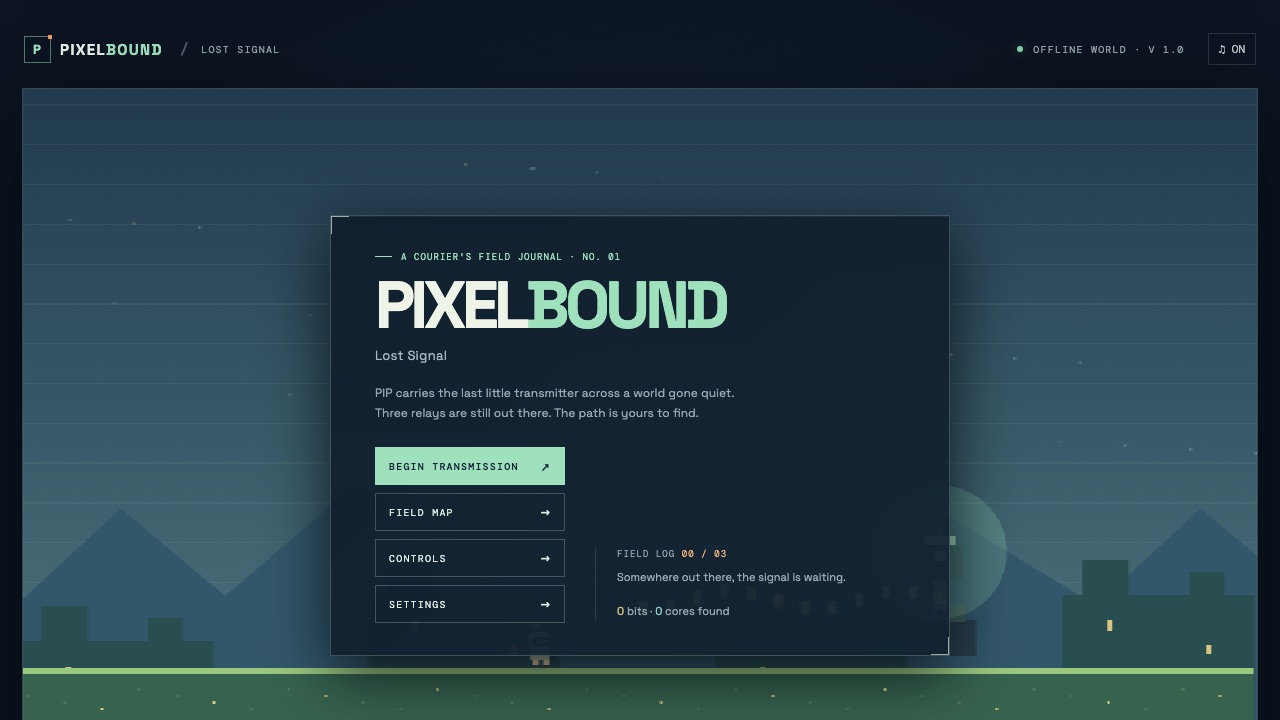
A courier's field journal: three relays are still out there, and the path is yours to find.
GPT-6 Luna · xhigh · OpenAI Codex
Ezkielyna Lab 1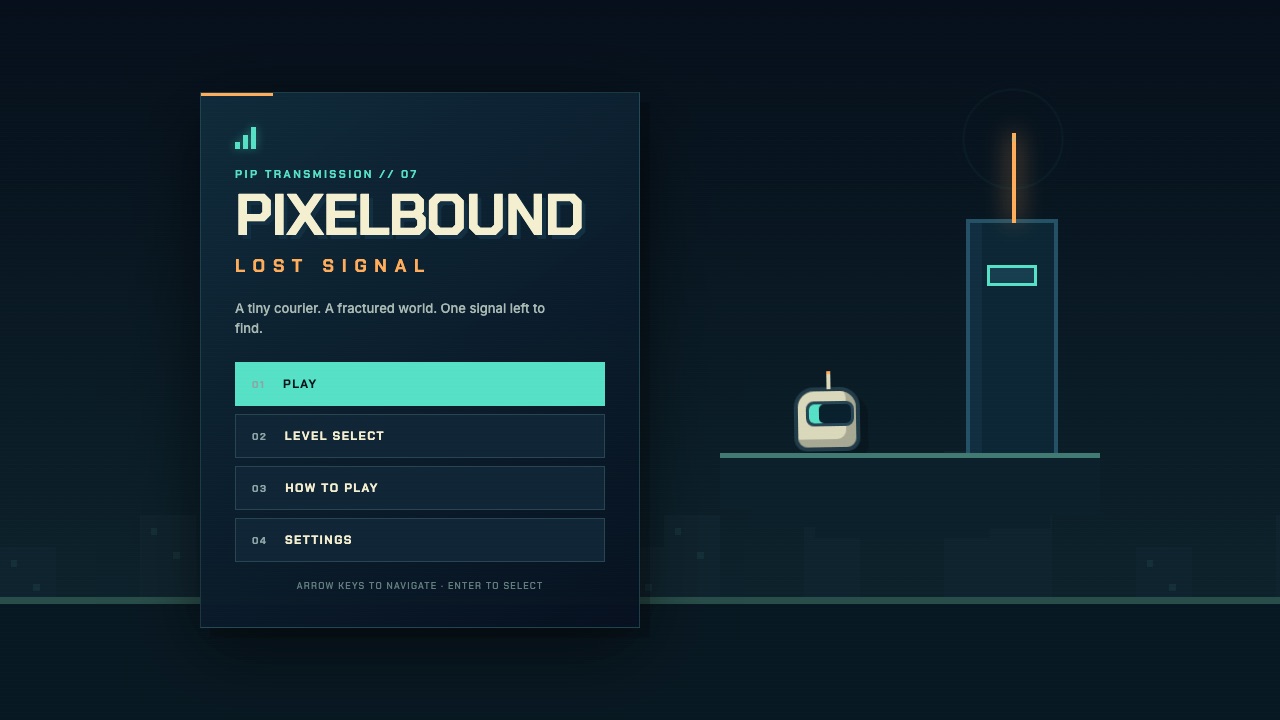
A tiny courier. A fractured world. One signal left to find.
GPT-5.6 Sol · xhigh · OpenAI Codex
Ezkielyna Lab 1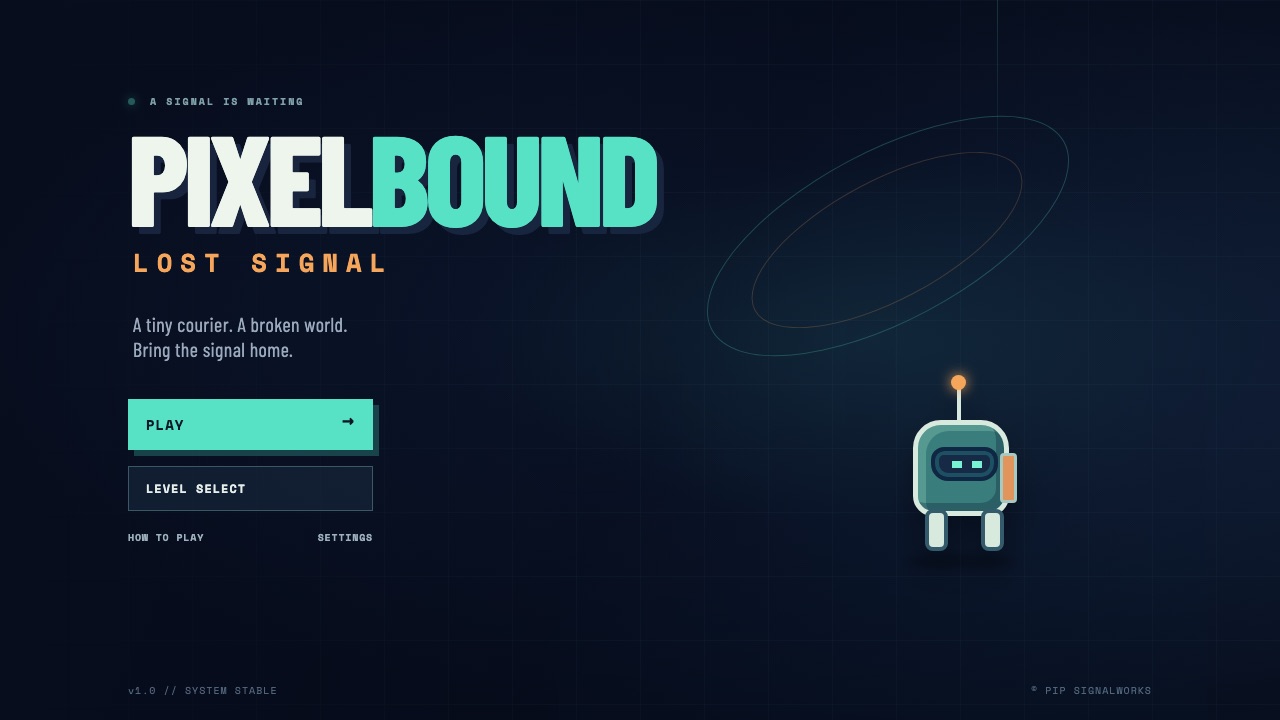
A tiny courier. A broken world. Bring the signal home.
GPT-5.6 Luna · xhigh · OpenAI Codex
Ezkielyna Lab 0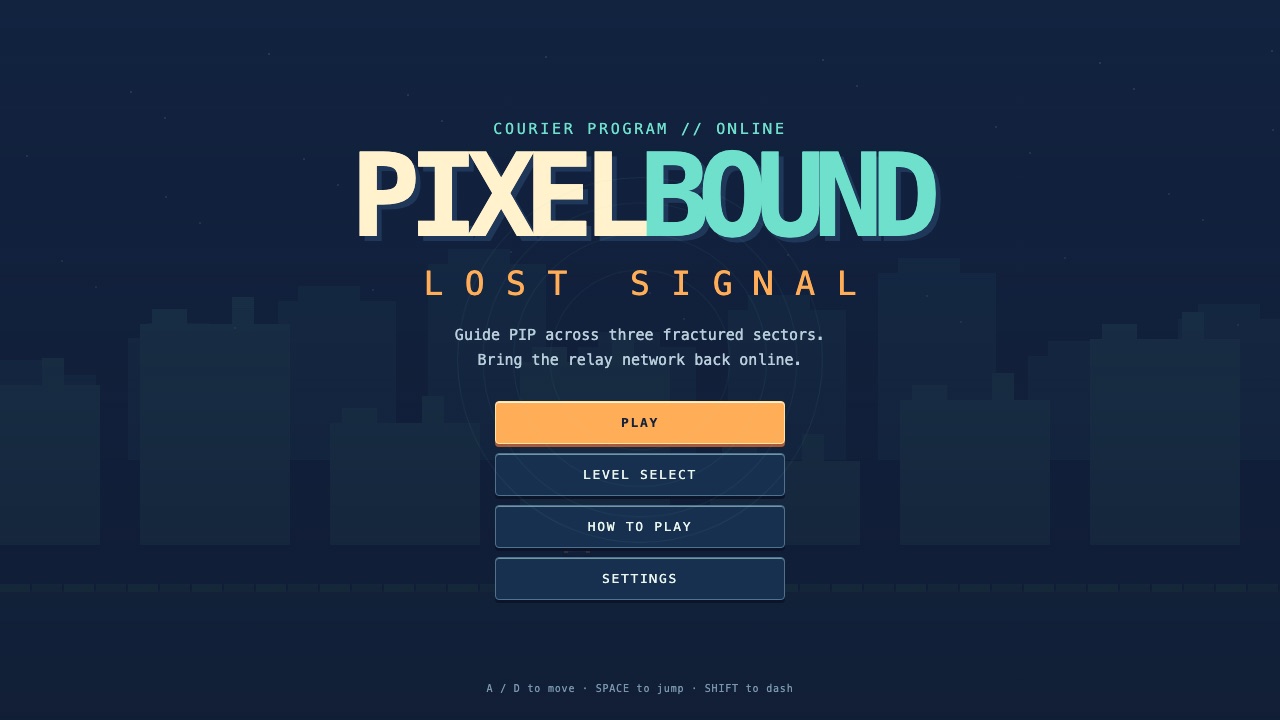
Guide PIP across three fractured sectors and bring the relay network back online.
GPT-5.6 Terra · xhigh · OpenAI Codex
Ezkielyna Lab 1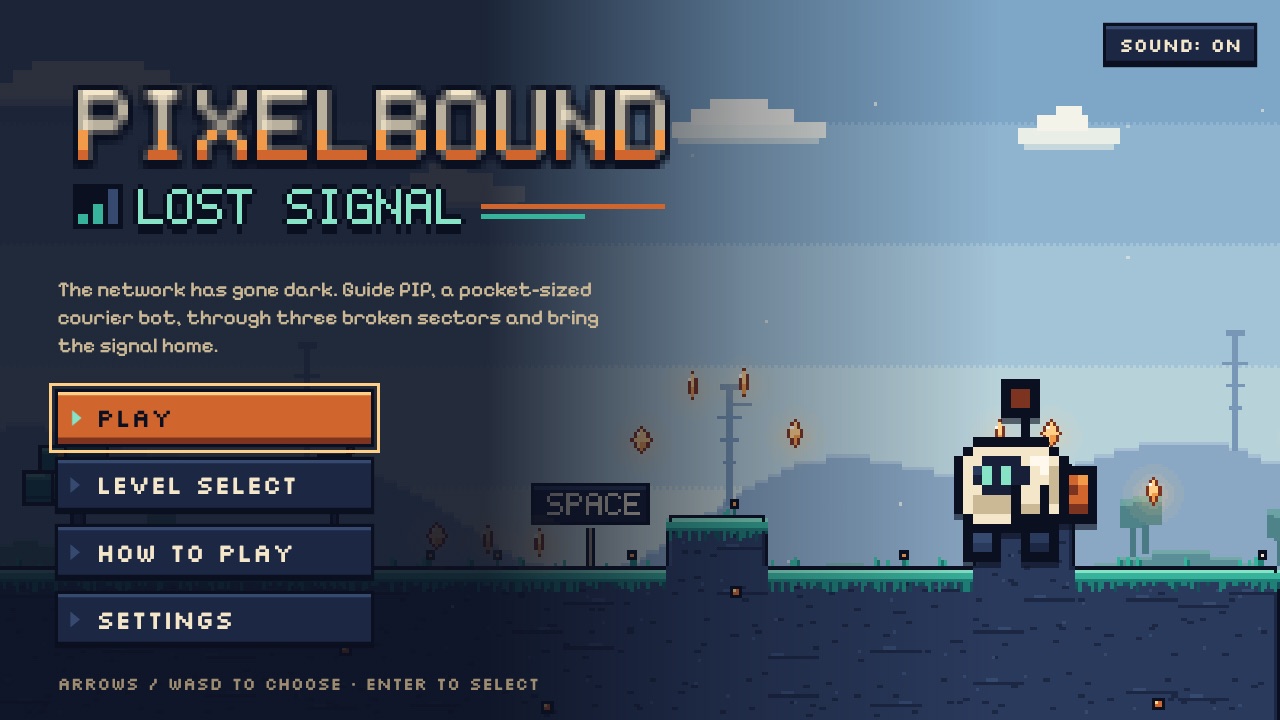
The network has gone dark. Guide PIP, a pocket-sized courier bot, through three broken sectors and bring the signal home.
Claude Opus 5.5 · high · Claude Code
Ezkielyna Lab 2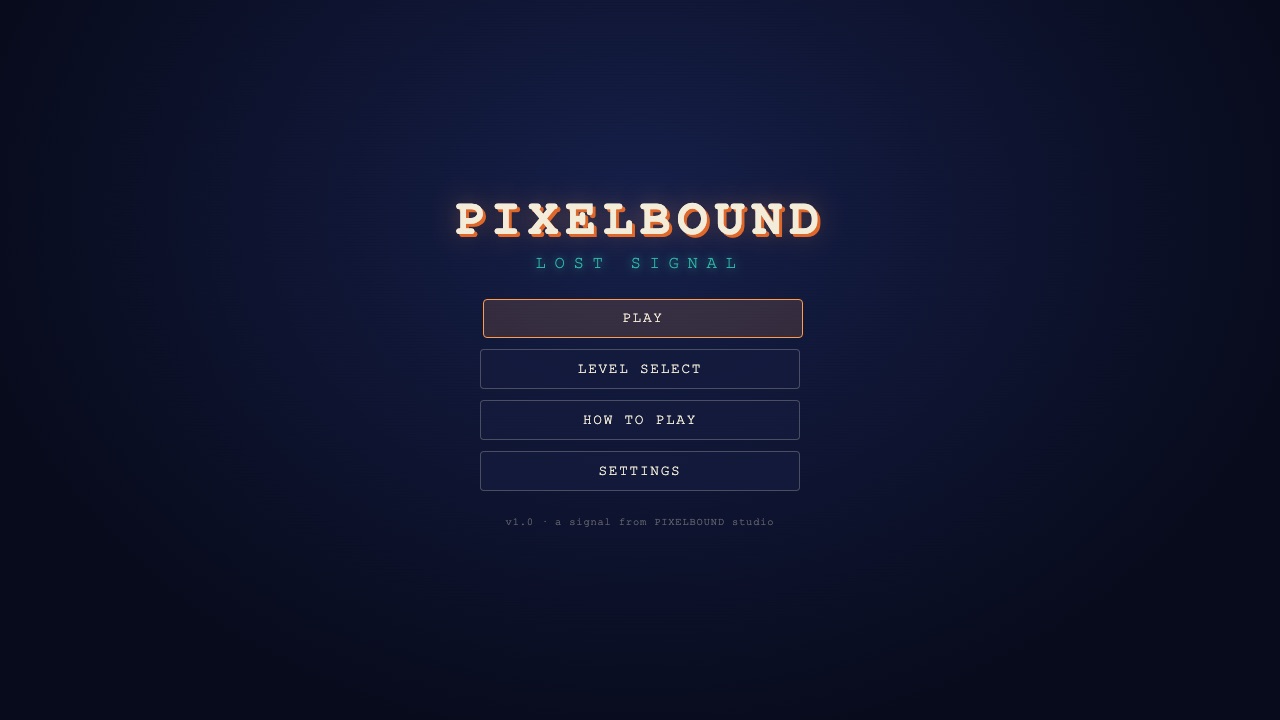
A retro-futuristic pixel platformer: a courier robot restores a lost signal across a fragmented digital world.
Claude Sonnet 5.5 · high · Claude Code
Ezkielyna Lab 1